Find the photos and videos quietly eating your iPhone, and clear them without losing a memory.
Scanning and every figure are free. Your first 1 GB of cleanup is free too.

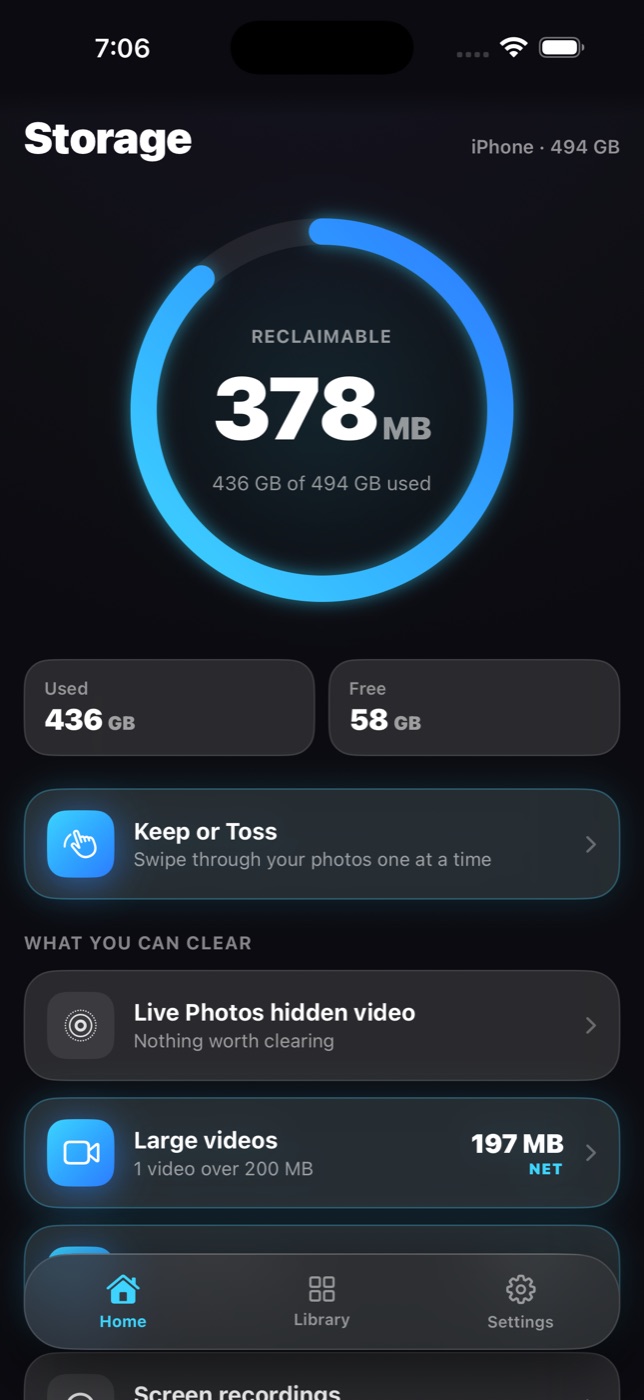
Every figure Reclaim shows is the space you actually get back, not the size of the files. If a saving is too small to matter, it is never offered at all.
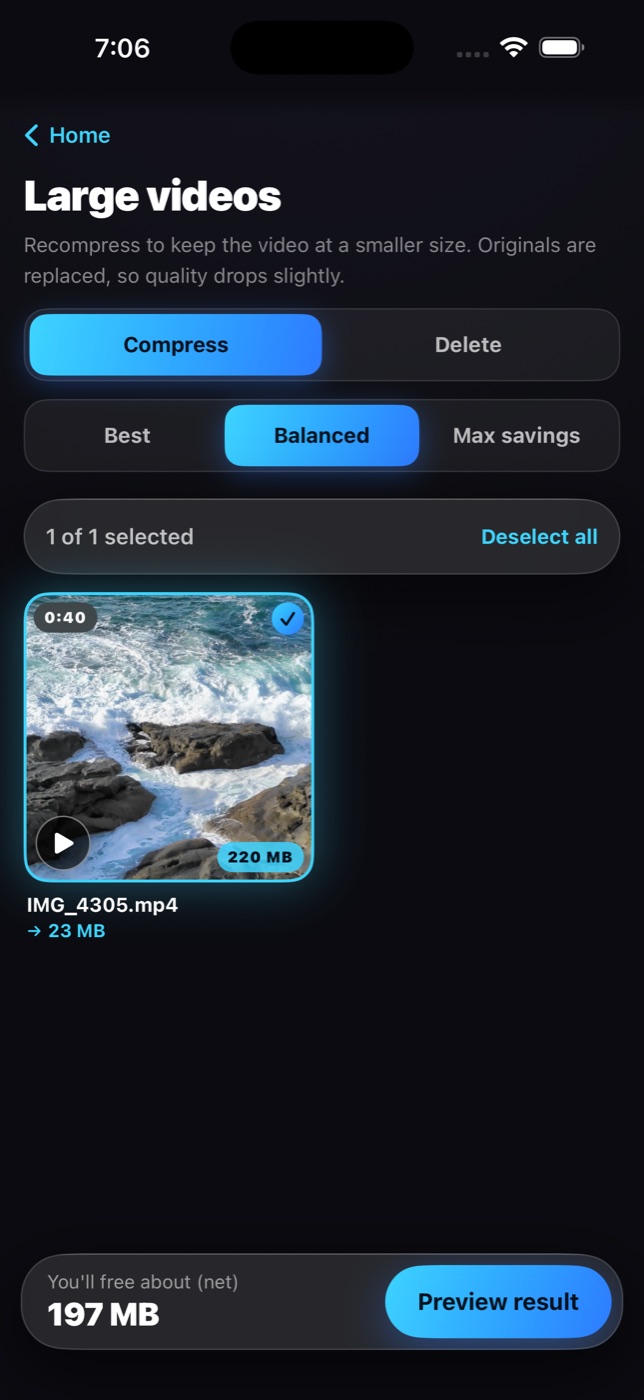
A 1.5 GB video compressed into a 630 MB file frees 870 MB, so that is what it says.
A photo appears in one row only. The ring on Home is the sum of what is actually on offer.
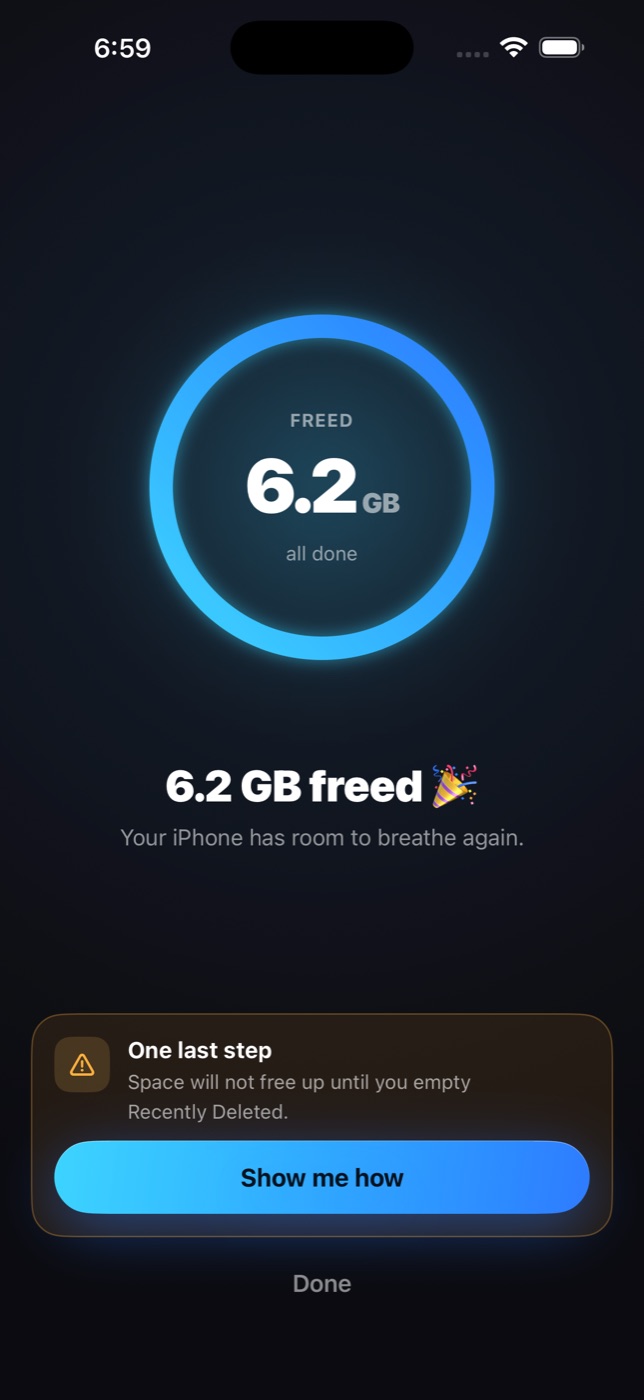
When your free space comes back, Reclaim tells you how much your iPhone really gained.
Keep the picture at full quality and drop the hidden video clip behind it.
Compress to HEVC with a side by side preview before anything is replaced, or delete outright.
Re encode oversized JPEG and PNG files to HEIC. The size you see is the size of a file that was actually produced.
Near identical shots grouped together. The sharpest one is kept, the rest are offered.
Flown flights, used login codes, past tickets and old receipts, read from their own text and grouped for you.
Memes and forwards saved from conversations, found by the camera data they never had.
Screen recordings, blurry shots, and landscapes with nobody in them, each in its own row.
When the categories are not enough, swipe through your library one photo at a time.
Photos sorts by date. Reclaim sorts by size, so the one file eating your storage is the first thing on screen.

Reclaim never removes anything without your confirmation, and never claims a deletion is permanent, because it is not.
Reclaim reads your library on the device and measures every file. Nothing is uploaded, and nothing changes.
Open a row, see exactly what you get back, and confirm. Everything goes to Recently Deleted, where Apple keeps it for 30 days.
The one step no app can do for you. Reclaim walks you there, then checks that the space really came back and tells you how much.

Every removal goes through Apple's Photos into Recently Deleted. Change your mind, and it is right there. Reclaim says so on every confirmation.
Everything runs on your device with Apple's own frameworks. There is no account to make, nothing to sign in to, and no server anywhere that ever sees a photo.
The scan, the size sorted library and every figure are free, and so is your first 1 GB of cleanup. Pro is for everything after.
Sold through Apple. Renews automatically unless cancelled at least 24 hours before the end of the period.
No. Everything Reclaim removes goes to your Recently Deleted album, where Apple keeps it for 30 days. You can put anything back from there.
Apple does not let any app empty that album. It is a safety net, and only you can clear it. Reclaim shows you the three taps, then checks that the space came back.
Never. Scanning, duplicate detection and screenshot reading all run on your device with Apple's own frameworks. Reclaim has no servers and no account.
Because it is the space you actually get back. Compressing a video frees the difference between the old and new file, not the whole file, and that is the figure you see.
The scan, the size sorted library, every figure and every preview, and your first 1 GB of cleanup. After that, cleanup actions need Reclaim Pro.
Yes. Reclaim measures what Photos reports for each item and, after you empty Recently Deleted, waits only for the space that was actually on your device to come back.
Free to scan, free to see every figure, free for your first gigabyte.
For iPhone and iPad.